

Webflow vs. WordPress 2026: The Ultimate Comparison
You're deciding which platform to build your website on, and the two names that keep coming up are Webflow and WordPress. Both are capable. Both have real trade-offs. The right answer depends on your goals, your team, and how much time you want to spend managing infrastructure instead of building your business.
This comparison covers what actually changed in 2026, what each platform costs in practice, and which one makes sense for your situation. We'll be honest about where WordPress wins, because a fair comparison is more useful than a sales pitch.
Webflow and WordPress at a Glance
WordPress is open-source software launched in 2003. You install it on a hosting server of your choice, then extend it with themes and plugins. Today it powers roughly 43% of all websites on the internet (W3Techs, 2025), which means you'll find documentation, developers, and community support for almost any use case you can think of.
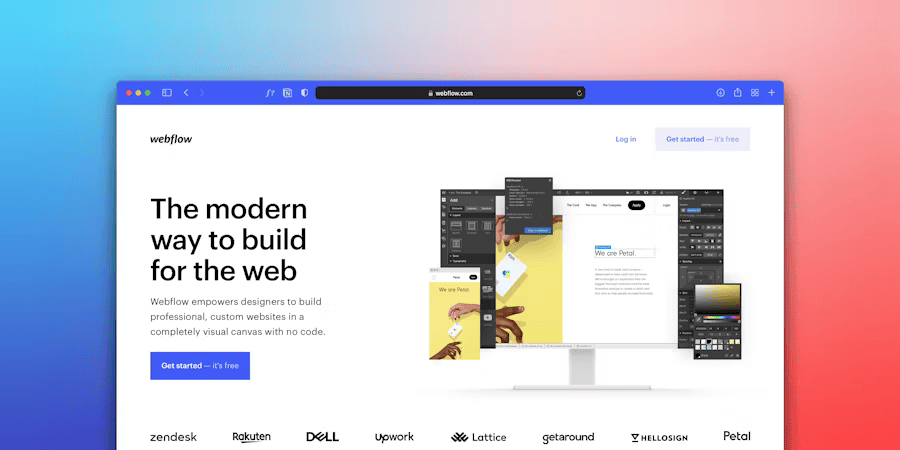
Webflow launched in 2013 as a managed SaaS platform. Design, CMS, hosting, and publishing all live under one roof. You don't manage servers, configure caching plugins, or apply security patches yourself. The trade-off is that you work within Webflow's ecosystem rather than the open web's broader infrastructure.
The core difference is this: with WordPress, you own the infrastructure and take on the maintenance. With Webflow, you pay for that maintenance to be handled on your behalf. Which model fits depends on your team size, technical capacity, and how central the website is to your daily work.
Quick reference before we go deeper:
- WordPress: free and open source, massive plugin ecosystem, large community, high flexibility, high ongoing maintenance burden
- Webflow: monthly subscription, visual designer with clean code output, hosting included, low maintenance overhead, genuine learning curve
What Changed in 2026
Both platforms have moved significantly over the past year. A comparison from 2024 describes a different product than what you're evaluating today. Here are the changes that actually affect the decision.
Webflow in 2026: AI is now built directly into the designer canvas. You can generate text, images, and basic layout variations via prompt without switching tools. Webflow Optimize delivers A/B testing and personalization natively, without third-party tools. Localization, out of beta since 2024, lets you manage multilingual sites fully within the Webflow CMS, including Google Translate and DeepL integration. For teams thinking about GEO (Generative Engine Optimization), Webflow now supports the llms.txt standard, which tells AI systems how to crawl and cite your content. That improves visibility in ChatGPT, Perplexity, and Google's AI Overviews without additional configuration.
WordPress in 2026: Gutenberg reached Phase 4. Full Site Editing (FSE) is now the default experience for new themes. Collaborative editing, where multiple users work on the same post simultaneously, is production-ready. The plugin ecosystem has absorbed AI broadly: tools like AI Engine, Jetpack AI, and Bertha AI integrate language models directly into the editor. The WordPress core continues to improve its Core Web Vitals scores year over year, but performance remains heavily dependent on hosting quality and the installed plugin set. The block editor has matured, but editing complex layouts without a page builder still shows friction in everyday use.
Performance, Hosting, and Security
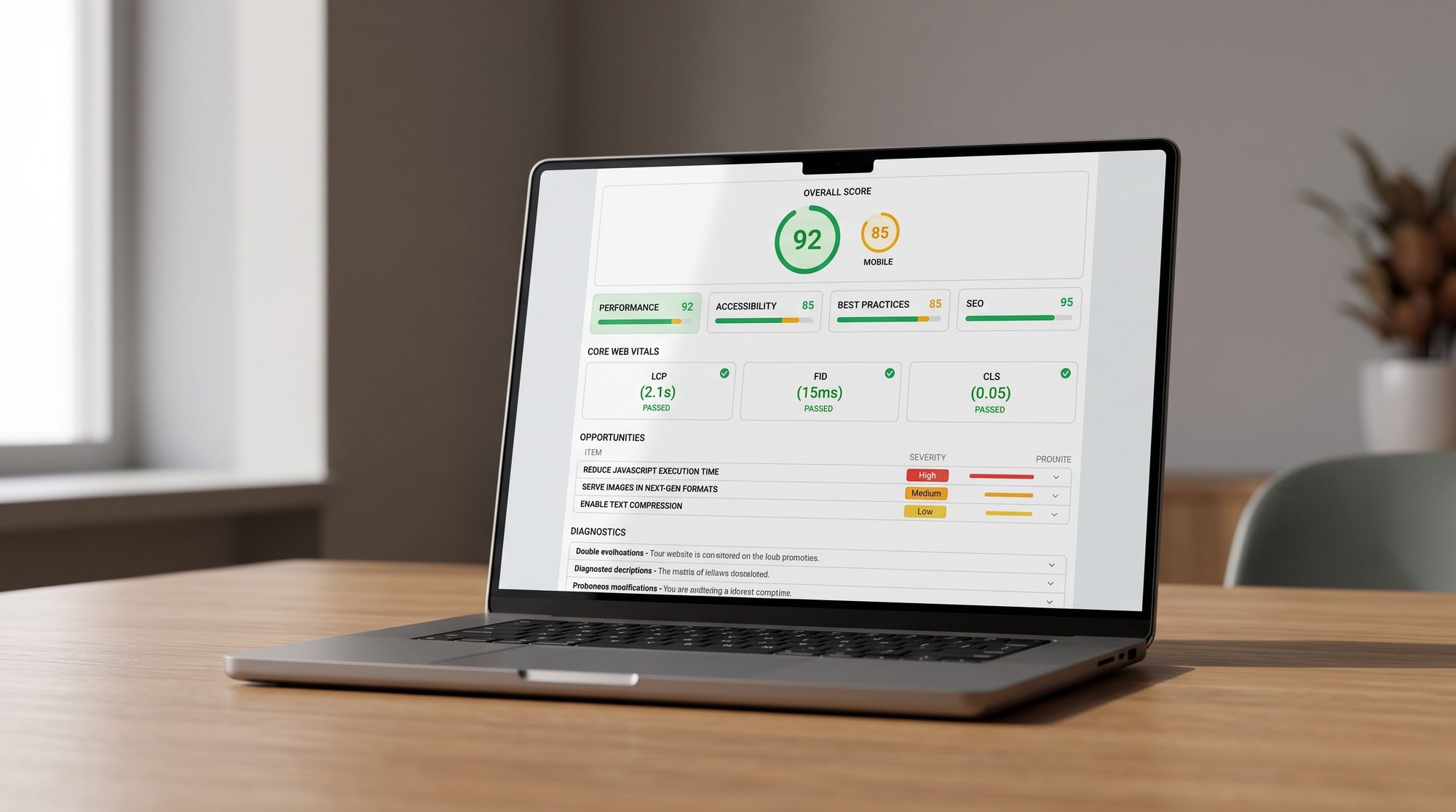
Load time is not a technical detail for developers to handle quietly. Google scores Core Web Vitals (LCP, INP, CLS) as a ranking signal, and users leave sites that take longer than three seconds to load at measurably higher rates. The platform you choose sets the floor your performance starts from.
Performance
Webflow hosts every site on a globally distributed CDN (Amazon CloudFront). Static page delivery, automatic image optimization, and no plugin overhead make fast baseline performance the default. Webflow sites consistently achieve "good" Core Web Vitals scores in independent PageSpeed tests without any manual configuration. This isn't a coincidence; it's an architectural choice. There are no database queries on page load, no PHP rendering on shared servers.
WordPress performance depends almost entirely on your decisions. On inexpensive shared hosting with unconfigured plugins, poor Core Web Vitals scores are not the exception but the norm. With managed WordPress hosting (WP Engine, Kinsta, Cloudways) and a caching plugin like WP Rocket or LiteSpeed Cache, you can match Webflow's scores. That configuration requires expertise, deliberate setup, and ongoing maintenance. The platform does not protect you from poor choices.
Security
This is arguably Webflow's biggest practical advantage for most businesses. WordPress is the most-targeted CMS on the internet, not because the core is insecure, but because its market share makes it a high-value target and plugins are the actual vulnerability surface.
According to WPScan's 2024 vulnerability report, roughly 97% of documented WordPress security issues originate from plugins and themes, not the WordPress core. Outdated or poorly maintained plugins open attack vectors that site operators may not notice until damage is done. Two concrete examples from 2024: LiteSpeed Cache (over 5 million active installations) and WP Statistics were both listed in the CVE database with critical authentication and injection vulnerabilities. Several widely used form plugins carried cross-site scripting flaws that left unpatched installations open to redirects and file injection. Running WordPress means actively tracking updates and responding quickly when critical patches drop.
Webflow handles SSL, security updates, and infrastructure maintenance itself. There is no plugin architecture to become a vulnerability. For teams without a dedicated system administrator, that operational difference is substantial over a 2-3 year horizon.
Backups and Scalability
Webflow offers staging environments and page branching for design versions but does not provide automatic daily content rollbacks at all plan tiers. WordPress backups are reliably automatable via plugins like UpdraftPlus or BlogVault, but they require deliberate setup and an external storage destination. Teams that skip this step usually discover the gap at the worst possible moment.
On scalability: Webflow scales with your traffic automatically through its CDN. WordPress sites need active intervention as traffic grows, including hosting upgrades, caching reconfiguration, and CDN integration. The problem is solvable, but it requires you to solve it.
Pricing: What You Actually Pay

The most common mistake in this comparison: WordPress is free, Webflow is expensive. That holds for the first month. Over two to three years, the picture often looks quite different.
What WordPress Actually Costs
WordPress software is free. A functional, secure, and well-performing WordPress site requires considerably more than that:
- Managed WordPress hosting: $25-100/month (WP Engine, Kinsta, or comparable quality)
- Premium theme or page builder (Elementor Pro, Divi, Bricks): $60-250/year
- SEO plugin (Yoast Premium, Rank Math Pro): $60-120/year
- Security plugin (Wordfence Premium, iThemes Security Pro): $100-200/year
- Backup plugin (BlogVault, UpdraftPlus Premium): $80-150/year
- Forms, performance, and caching plugins: another $50-200/year depending on your stack
- Maintenance time: two to five hours per month for updates, backups, and security checks
Adding up hosting, plugin licenses, and maintenance time, professionally run WordPress sites reach $800-2,500 per year before any agency hours for design changes or functionality work. This range reflects current list prices for the tools named above plus roughly three hours per month of maintenance at a junior agency rate. Businesses that outsource maintenance to an agency typically pay $150-500/month on top of that. What starts as a free platform adds up.
There is also a frequently underestimated cost: plugin compatibility failures after WordPress core updates. When an update breaks a plugin and takes down a core site function, that requires developer hours to diagnose and fix. It does not happen on every update cycle, but it happens often enough to factor into planning.
What Webflow Costs
Webflow site plans (2026 pricing, rounded):
- Basic: around $14-17/month. Static sites, no CMS, suitable for landing pages.
- CMS: around $23-27/month. Up to 2,000 CMS items, 3 editors.
- Business: around $39-47/month. Up to 10,000 items, 10 editors.
- Enterprise: custom pricing
Hosting is included. Security updates are included. The CDN is included. There is no plugin ecosystem generating monthly license fees. A business running a Webflow site without an active developer for technical maintenance can reduce operational costs to near the platform fee alone.
Total cost of ownership over three years often shows less distance between Webflow and a well-configured WordPress site than the initial pricing comparison suggests. The real difference is in the risk profile and the ongoing effort: WordPress requires continuous technical attention; Webflow does not. For a deeper look at realistic website costs by project type, our guide on website development costs breaks down what different setups actually run.
A Forrester study (2024) found a 332% ROI for Webflow Enterprise customers over three years, driven primarily by reduced developer time and faster publishing cycles. That figure applies to the Enterprise tier, but the direction holds across mid-market use cases: less time spent on maintenance leaves more capacity for actual work.
Which CMS Is Right for You?
The right question is not "which is better?" but "which fits your specific situation?" Here is an honest breakdown by use case, not a sales argument for one platform.
Blogs and Content-Heavy Sites
WordPress is the natural home for blogging. Editorial workflows are mature, the plugin ecosystem for SEO and content management is among the deepest of any CMS, and the barrier for non-technical editors is low. If you're primarily publishing at volume and doing little design work, WordPress is a solid choice.
Webflow has developed its CMS substantially over recent years. For design-driven publications where the visual experience is part of the brand, Webflow is a serious option. For pure blogging at scale with many authors and minimal design requirements: WordPress wins this comparison.
E-Commerce
WordPress with WooCommerce is more capable and more flexible for complex commerce. Thousands of WooCommerce extensions cover complex inventory, memberships, subscriptions, and marketplace scenarios. For larger shops with sophisticated business logic, WooCommerce is the realistic choice.
Webflow Commerce suits design-forward shops with manageable product catalogs. The native commerce features are more constrained, and Webflow charges a transaction fee on lower-tier plans. If e-commerce is central to your business, evaluate WooCommerce before deciding. Our article on Webflow for business websites addresses this trade-off directly.
Portfolios and Agency Sites
Webflow was built for this use case. Designers and agencies showing their work benefit from precise layout control, native animations, and clean code output without theme compromises. Few tools turn a design into a fast, high-quality website as efficiently. For portfolios and agency sites, Webflow is the first choice in 2026.
Business and Corporate Websites
For most business websites (service companies, B2B, SaaS, professional services), Webflow holds the stronger starting position in 2026: lower plugin security exposure, faster load times from the integrated CDN, predictable operating costs without a plugin license stack, and native Localization for international sites. Marketing teams that want to edit content without filing a developer ticket appreciate the Webflow Editor's accessibility.
WordPress still makes sense when a business depends heavily on community plugins: specific membership management, learning platforms via LearnDash, or complex form logic via Gravity Forms. For most other corporate website needs, Webflow is the cleaner solution. See our full overview on the Webflow platform for a broader picture.
Beginners Without a Technical Background
WordPress.com (the hosted version) is more accessible for absolute beginners than Webflow. Webflow has a real learning curve: the visual designer works in CSS concepts even when you're not writing code. For someone willing to invest two to four weeks, it's a far more capable tool than any drag-and-drop builder. For someone who needs a simple site quickly without investing in learning: WordPress.com or Wix get there faster.
Webflow has lowered the entry bar with AI-assisted design and simplified starter templates, but it is not a one-day setup for people new to web design concepts.
For SEO Professionals
Webflow has caught up significantly on the SEO side. Clean code, fast load times, native meta fields, Open Graph support, automatic XML sitemaps, and structured data via custom code are all available. The practical advantage: no poorly configured SEO plugins dragging down your score. Our guide on Webflow SEO optimization covers what to actually configure.
WordPress with Yoast or Rank Math offers more granular control and a more mature toolset for content strategists with complex requirements. For technical SEO at enterprise scale, WordPress with the right stack remains competitive. For most mid-sized business sites: Webflow delivers better SEO results with less effort.
Teams Considering a Switch
Moving from WordPress to Webflow is a real project, but a manageable one. Content migrates via CSV export and import; larger sites have specialized migration services available. Our case study on migrating from WordPress to Webflow shows what the process looks like in practice. What to plan for: redirects need to be set cleanly to preserve existing search positions. The technical migration is rarely the hard part. The redesign that most teams undertake at the same time is where the real time goes.
If you're also weighing Webflow against other modern alternatives, our Framer vs. Webflow comparison covers where the newer competitor holds its own and where Webflow remains ahead.
Webflow vs. WordPress 2026: The Bottom Line
Neither platform wins unconditionally. The question is which trade-off fits your situation.
Choose Webflow if you want managed infrastructure, fast performance as the default, AI-native features in 2026, and a single platform for design plus content management. It suits businesses that treat their website as a marketing asset rather than a custom application. The operational overhead after launch is substantially lower than with a self-managed WordPress setup.
Choose WordPress if you need maximum flexibility, a deep plugin ecosystem, complex e-commerce, or you already have a team with strong WordPress expertise. The maintenance burden is real. With the right hosting and disciplined update management, it's manageable, and the investment in the ecosystem can pay off for the right use cases.
If you're building or rebuilding a business website and want to evaluate which platform fits your requirements, our team can walk through your specific situation. Find out how a Webflow agency partnership works in practice, or get in touch directly via our contacts page.























rev%20komprimiert.jpg)
.jpg)

.png)


.jpg)


