

On-Page SEO: The Complete Guide to On-Page Optimization (with Checklist)
On-page SEO is the work you do directly on a page to help it rank. It controls what search engines read, what users see in the results, and how easily both can find what they are looking for. Getting it right is not complicated, but it requires attention across several interconnected factors, and neglecting any of them leaves ranking potential on the table.
What Is On-Page SEO?
On-page SEO (also called on-page optimization or onpage SEO) covers all the signals you control within a single page: the title tag, meta description, heading structure, content, images, internal links, URL, and the technical factors that govern how fast and cleanly the page loads.
It is one of three pillars of search engine optimization. Off-page SEO covers backlinks and brand signals from other sites. Technical SEO covers site-wide infrastructure like crawlability, indexing, and platform-level performance. On-page SEO connects those outer layers to the page a user actually reads.
Why On-Page SEO Matters
Search engines rank pages, not websites. You can have strong backlinks and a fast server, but if the page itself does not clearly signal its topic, those outer factors underperform. Google reads the title tag, assesses the heading structure, measures content depth against competing pages, and tracks how users engage with what they find. Each of those signals is within your control.
Pages with well-optimized on-page signals consistently outrank pages that rely on backlinks alone. The reason is straightforward: Google's systems reward content that clearly answers what users searched for. On-page SEO is how you demonstrate that match.

The Core On-Page SEO Elements
On-page SEO breaks into three groups: HTML elements (title tags, meta descriptions, heading tags), content elements (keyword targeting, search intent, content depth), and page architecture (URLs, internal links, structured data). The sections below cover each group, starting with the highest-impact items.
Title Tags
The title tag is the most direct signal you send Google about what a page covers. It appears as the clickable headline in search results and in the browser tab. Keep it under 60 characters so it does not get truncated in the SERP. Place the primary keyword near the beginning. Write for the human reader first: a title that genuinely describes the page performs better than one that packs in keywords at the expense of clarity.
A specific title outperforms a vague one. "On-Page SEO: The Complete Optimization Guide" tells both Google and the reader what the page delivers, while "SEO Tips" could cover almost anything.
Meta Descriptions
The meta description does not directly influence rankings, but it affects click-through rate, which does. Keep it between 150 and 160 characters, include the primary keyword naturally, and write it as a short pitch. When Google rewrites your meta description in the SERP, it is usually because the original did not match the search query closely enough. Write one that reflects exactly what people are looking for when they type your target keyword.
Heading Structure
Headings (H1 through H3 and beyond) tell both crawlers and users how your content is organized. Each page should have exactly one H1, which typically matches or closely echoes the page title. H2s handle the main sections; H3s cover subtopics within them. Avoid skipping heading levels, and work secondary keywords into H2 and H3 headings where they fit naturally. A logical hierarchy makes the page easier to scan for users and easier to parse for crawlers.
URL Structure
A clean URL helps users and crawlers alike. Keep URLs short, use hyphens between words, include the primary keyword, and remove parameters and IDs where possible. A URL like /on-page-seo-guide communicates more than /page?id=4729. If you change a URL on a live page, set up a 301 redirect to preserve the link equity the original URL has built up over time.
Keyword Research and Placement
Before writing, confirm what your audience actually searches for. Volume is a starting point, but search intent matters more. A query like "on page seo checklist" signals someone who wants to act, not just read a definition. Match the content format (guide, checklist, comparison) to what the top results already return for the same query.
Once you know your primary keyword and a set of secondary terms, place them where they appear naturally: the title, the opening paragraph, one or two H2 headings, the body text, image alt text, and the meta description. Forcing keywords into every sentence harms the reader experience and creates a relevance problem for crawlers.
Content Quality and Internal Linking
Writing for SEO has changed. Pages that rank today tend to be specific, thorough, and written by someone who understands the topic. Generic content that covers the basics without depth is routinely outranked by pages that answer questions completely and leave the reader with little reason to go back to the search results.
Search Intent and Content Depth
Start by identifying the dominant intent behind your target keyword. For "on page seo," the intent is informational: the user wants to understand the topic and know how to apply it. Your content should explain clearly, cover the topic thoroughly, and leave the reader with fewer open questions than they had before.
Content depth does not mean word count for its own sake. A 700-word page that answers a question completely outperforms a padded 3,000-word page that restates the same point in different ways. Aim for the minimum length that covers the topic without gaps, then stop.
Internal Linking
Internal links distribute authority across your site and help users find related content. When you publish a new article, look for existing pages that mention the same topic and add a link from those pages to the new one. Use descriptive anchor text that tells the user what they will find on the destination page.
If your site covers local SEO strategies, linking from an on-page SEO guide to that resource helps both pages signal topical authority. Descriptive anchors ("local SEO guide") outperform generic ones ("read more") in every measurable way.
Technical On-Page Factors
On-page optimization extends beyond the content visible on screen. A technically clean page loads faster, signals quality to crawlers, and keeps users engaged long enough to find what they came for.
Core Web Vitals and Page Speed
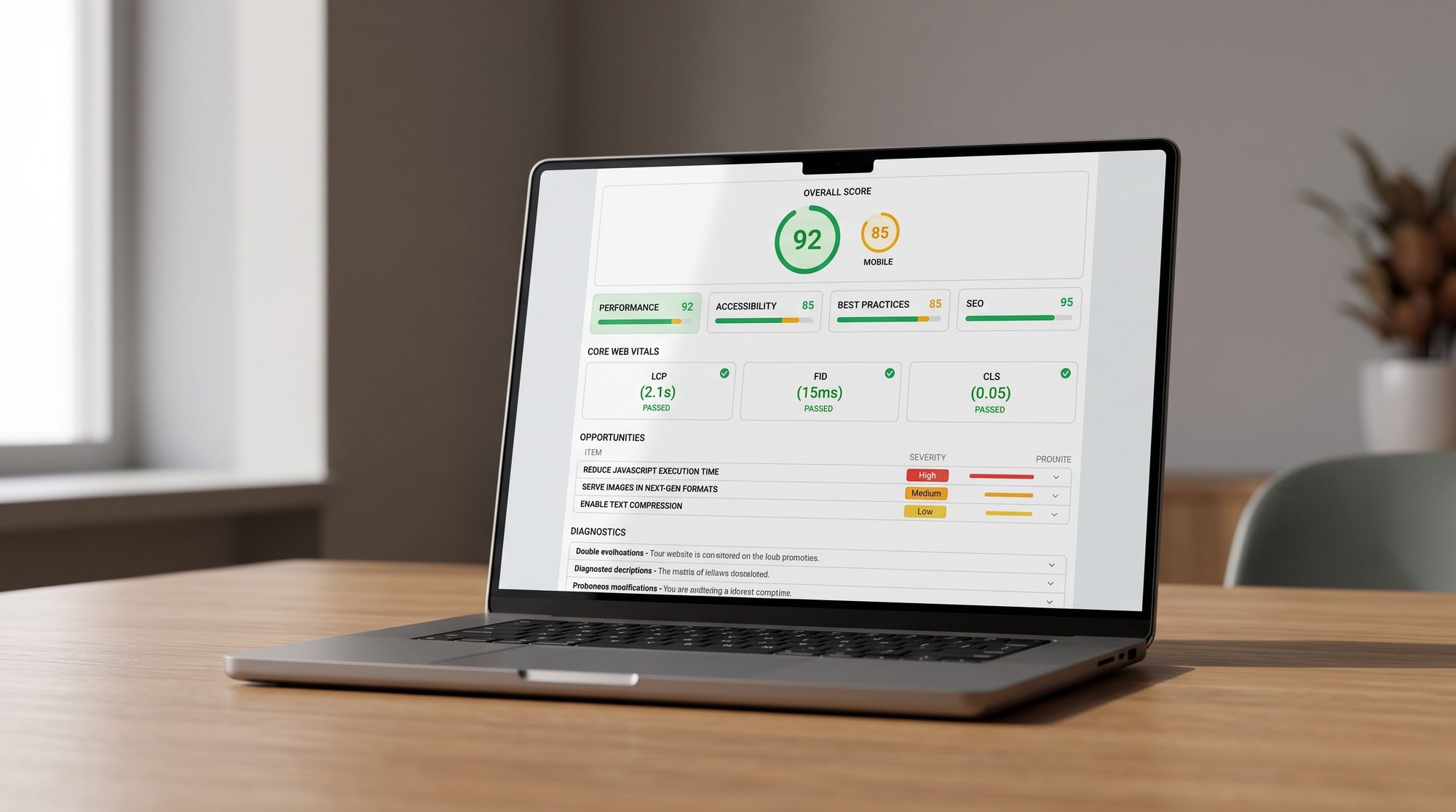
Google's Core Web Vitals are the performance benchmarks it uses to assess page experience. They measure three things: Largest Contentful Paint (LCP, how fast the main content appears on screen), Interaction to Next Paint (INP, how quickly the page responds to user input), and Cumulative Layout Shift (CLS, how stable the layout stays as the page loads).
Target LCP under 2.5 seconds, INP under 200 milliseconds, and CLS under 0.1. Compressing images, deferring non-critical scripts, and using a content delivery network are the most direct levers for LCP. Setting explicit width and height on every image eliminates most CLS problems at the source.
Image Optimization and Alt Text
Every image on a page needs a descriptive alt attribute. Alt text serves two purposes: it tells screen readers what the image contains, and it gives crawlers a text signal about the page topic. Keep file sizes small. An uncompressed hero image can push LCP past acceptable thresholds by itself. Use modern formats like WebP, resize to the largest display size you actually need, and compress each file before uploading.
Name image files descriptively. A file named on-page-seo-title-tag-example.webp gives search engines a stronger signal than img_0042.jpg.
Structured Data and Schema Markup
Structured data (written in JSON-LD using Schema.org vocabulary) gives search engines explicit facts about your content: what type of page it is, who wrote it, when it was published, and what questions it answers. Implementing schema does not guarantee rich results, but it makes your page eligible for them, including FAQ accordions and breadcrumb trails in the SERP.
For informational content like guides, the Article and FAQPage schema types are the most relevant. FAQ schema can surface answer snippets directly in search results, improving click-through rate without requiring a higher ranking position.
On-Page SEO Checklist
Use this list before publishing any page and when reviewing existing pages for improvement. Each item addresses a specific, measurable factor.
- Primary keyword confirmed; search intent matched to the content format
- Title tag under 60 characters, primary keyword near the start
- Meta description between 150 and 160 characters, keyword included naturally
- One H1 per page; H2 and H3 headings used to organize all sections
- URL short, hyphenated, contains the keyword, no unnecessary parameters
- Primary and secondary keywords placed naturally in the first paragraph, headings, and body
- All images compressed (WebP or JPEG), with concrete and descriptive alt text
- At least two to three internal links to related content with descriptive anchor text
- Core Web Vitals passing: LCP under 2.5 s, INP under 200 ms, CLS under 0.1
- Schema markup implemented for the page type (Article, FAQPage, or HowTo)
- Mobile display confirmed on at least one real device or via Lighthouse
- Page indexed and Google Search Console shows no crawl errors
When On-Page SEO Is Not Enough on Its Own
On-page optimization is necessary but not sufficient by itself. Once your pages are well-optimized, further ranking movement requires stronger topical authority, more backlinks, or better alignment between your site's overall subject matter and the queries you are targeting. Those are off-page and technical concerns that extend beyond any single page.
If you are working through a site with dozens or hundreds of pages, or if you have addressed the on-page basics without seeing movement, a structured SEO consultation can identify which factors matter most for your specific situation. On-page improvements typically show results within weeks when the right pages are being optimized for the right queries, and the work compounds over time.




















rev%20komprimiert.jpg)
.jpg)

.png)






.jpg)


