

Broken Links: Definition & SEO Impact
A broken link, also called a dead link, is a hyperlink that no longer leads to a reachable resource. When a visitor clicks it or a search engine crawler follows it, the server returns an HTTP error, most commonly a 404 Not Found status, because the target page has been deleted, moved to a different URL, or was never accessible at that address.
How Broken Links Differ from Similar Terms
Three terms come up repeatedly in the same conversation, and confusing them leads to misdiagnosis:
Link rot is the broader process by which hyperlinks become invalid over time, typically because external websites restructure or shut down entirely. A broken link is the individual outcome: the specific hyperlink that now returns an error. You can say a site suffers from link rot; you detect and fix its broken links one by one.
A redirect is not a broken link. When a page moves and a 301 permanent redirect is configured, the server responds to the request, passes the visitor (and any link signals) to the new URL, and the link continues to function. A link only breaks when no redirect exists and the server returns a 4xx or 5xx status code, or when the target domain stops responding altogether.
Broken link building is a separate, outbound-focused SEO tactic. It locates broken links on other websites and proposes your own content as a working replacement, turning someone else's dead end into an inbound link opportunity. It exploits broken links rather than fixing them.
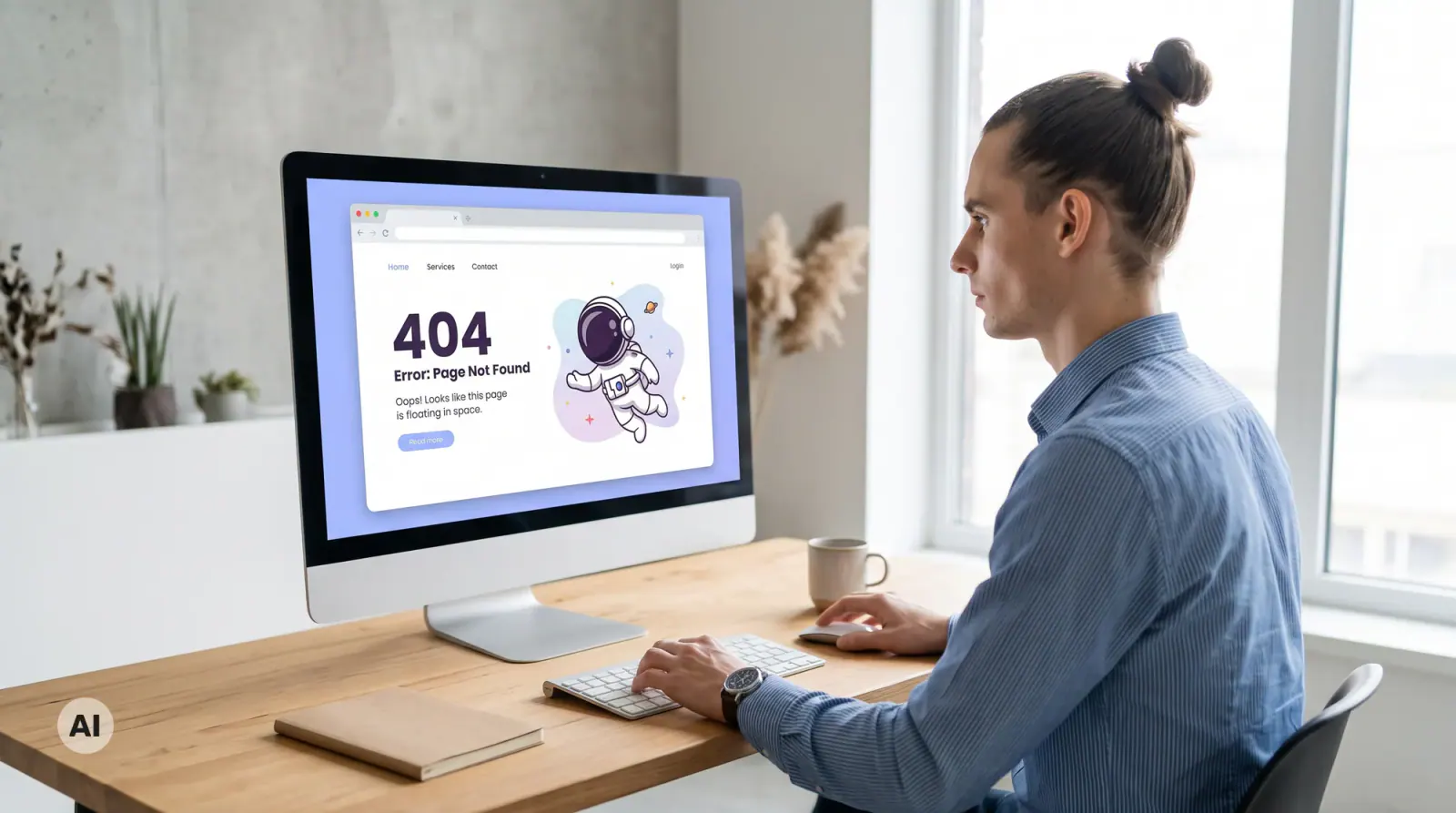
URL Changes After a Website Relaunch
Example: A company migrates its website from one platform to another and restructures its URL paths in the process. A service page previously accessible at /services/consulting now lives at /consulting-services. Internal links in the navigation menu and several blog articles still reference the old path. External websites that linked to the original URL now point to a 404. Visitors arrive at an error page with no clear next step; search engine crawlers spend a request without indexing anything useful. The fix for this case is a single redirect rule: /services/consulting → /consulting-services (301 permanent). With this entry in place, every existing link to the old URL reaches the correct destination automatically. Without 301 redirects mapping old URLs to their new locations, each broken link persists until someone manually updates or removes it.
How to find and fix broken links: Before a relaunch, run a full crawl of the current site and export all live URLs. Map each old path to its new destination in a redirect list, then configure those entries as 301 redirects in your server or CMS before going live. For internal links in navigation menus and blog posts, update the href values directly rather than relying on the redirect — this keeps the crawl path short and avoids redirect chains.
Website platform migrations are a common trigger for this kind of structural break. If you are evaluating platforms before a move, the Framer vs. Webflow comparison is relevant context for that platform decision.
Why Broken Links Matter for SEO and User Experience
Broken links affect three areas at once. Users who follow a dead link have no obvious next step, which undermines trust in the rest of the site. Search engine crawlers spend their crawl budget following links to discover and index pages: a 404 response wastes that request and can slow down indexing of nearby content. And when an inbound link from another domain points to a page that no longer exists, the link equity that link would have passed is simply not transferred anywhere.
For websites that change platforms, relaunch, or restructure URLs without setting up redirects, all three effects compound at once. Regular checks with tools such as Google Search Console, Screaming Frog SEO Spider, or Ahrefs Site Audit catch broken links before they accumulate. On a well-maintained site, a broken link found early is a short fix; left unaddressed, it quietly erodes both authority and user confidence. For the structural decisions that reduce this kind of technical debt from the start, the article on building a professional business website covers what to plan before you publish.


Aleksey Rogalev
Aleksey is founder and managing director of marketer UX. As an expert in sales, SEO, and Google Ads, he regularly publishes new articles and videos to make these topics accessible to anyone who wants to take their marketing to the next level.
Tailored solutions
Discover selected topics and services related to web design, Webflow, and lead generation. Quickly find the right starting point for your next project.
Articles & Resources

Google Core Update: How to Identify the Impact and Respond the Right Way

Marketing Attribution Models: Which Channel Really Brought the Lead?

Core Web Vitals: How to Improve LCP, INP, and CLS in Practice

Offline-Conversions und erweiterte Conversions: Google Ads mit echten Abschlüssen füttern
B2B Google Ads: The Most Common Mistakes and How to Stop Wasting Budget

Weglot and PHP2Shell: What Weglot Users Need to Check Now
Webflow and PHP2Shell: Why Webflow Websites Are Not Affected

PHP Security Vulnerability PHP2Shell: Why Hundreds of Websites Went Offline

SEO Freelancer or SEO Agency: Which One Fits Your Business?
AI SEO: What Really Changes With AI-Powered Search

Full Self-Driving as a team event: What Tesla’s AI teaches us about trust and innovation
How Long Does SEO Take? Realistic Timelines and What to Expect

Online Advertising: Channels, Costs and First Steps (2026 Overview)

Optimize Your Landing Page: More Enquiries from the Same Traffic
On-Page SEO: The Complete Guide to On-Page Optimization (with Checklist)

Integrating a CRM into your website - how it generates leads

Webflow websites for companies: Is it worth it in 2026?

How does a website win new customers?

Webflow CRM Integration: How We Connected Webflow with Microsoft Dynamics 365

SEO: What is Search Engine Optimization and How Does It Work?
Google Ads Transparency Center
Framer vs. Webflow 2026: Which Website Builder Wins the Duel?

Typography in UI/UX Design: More Than Just Pretty Type

UI/UX Trends 2025: What Companies Need to Know Now to Stay Relevant

From WordPress to Webflow — How ACO left its “update hell” and became a premium brand

The future is now: What the Webflow Conference 2025 really means for marketers
Game changer: Webflow real-time collaboration is here — and it's changing everything

Google Disables #num=100: What the Change Means for SEO, Rank Tracking & Tools

llms.txt: Why this small file determines your future visibility on Google & Co.
Build a website with AI
Webflow agency: Why the right partnership is decisive for your digital success

Building an online shop: From retail store to online shop — your practical guide for a successful start

Webflow & llms.txt: Our practice test shows what it really does

Webflow SEO optimization: 15 advanced strategies for maximum visibility

Barrier-free & GDPR-compliant: How iubenda supports companies in implementing ASA

Webflow vs. Storyblok: 10× SEO boost for SMEs

Accessibility Strengthening Act 2025: The new obligation for digital accessibility

Monitored and exploited: The shocking truth behind your online behavior!

Why no one has come up with the idea yet: The turbo trick with Google ads!

Success with Webflow: relounge.club & marketer UX

Expert explains: How much does advertising cost on Google? Sample calculation & analysis

Search engine optimization (SEO): At the top of Google in just 3 months

Is a blog still worthwhile in 2024?

Have a website created: How to find the perfect partner

NIO Marketing: How to achieve real customer loyalty through innovative strategies

Webflow Intellimize: AI-powered website optimization possible soon!

Google Seo Leak: Anyone can get to number 1!

Marketing psychology: Tesla website analysis

Latest Webflow Features and Updates 2024

The 10 most expensive domain names in the world

Local SEO: The ultimate tips to attract local customers

The power of color psychology in marketing and branding

Tesla's 2024 entry into paid advertising: First visible steps revealed

Webflow vs. WordPress 2026: The Ultimate Comparison

Tesla's new marketing strategy 2023

Chat GPT Revolution - How do you use it correctly?

Website Creation Cost: What to Budget Realistically in 2025/2026

Advertising on the Internet - Boost Your Business Potential Online
SEO Consulting: Process, Costs, and How to Choose the Right Advisor

How Klaus Hübner boosts his company's growth with online marketing

Top 10 Webflow features we've loved as an agency since 2017

Online marketing strategy: Achieving your goal in 6 steps

Marketing law firm: How to attract clients

What is a lead

Learn how to sell

B2B online marketing - That's how it works in business!

Redesign of the company website

Winning customers in the digital age
